Summary
This release is about what candidates hear from you, and how they hear it.
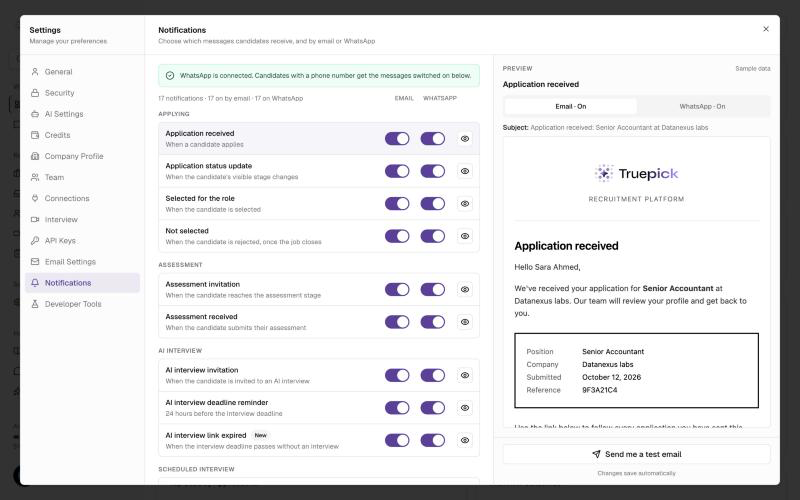
You decide which messages candidates get, by email and by WhatsApp. A new Notifications tab in Settings lists every message the platform sends to candidates, from "Application received" to the offer letter. Each one has its own Email and WhatsApp switch, a live preview, and a test you can send to yourself.
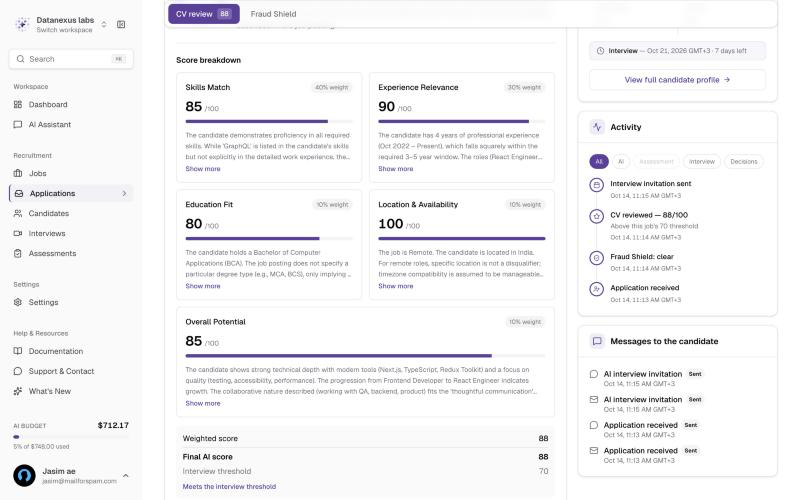
Every message you sent a candidate is on their application. The application page now has a Messages to the candidate card that shows what went out, on which channel, and whether it was delivered, read, or not sent and why.
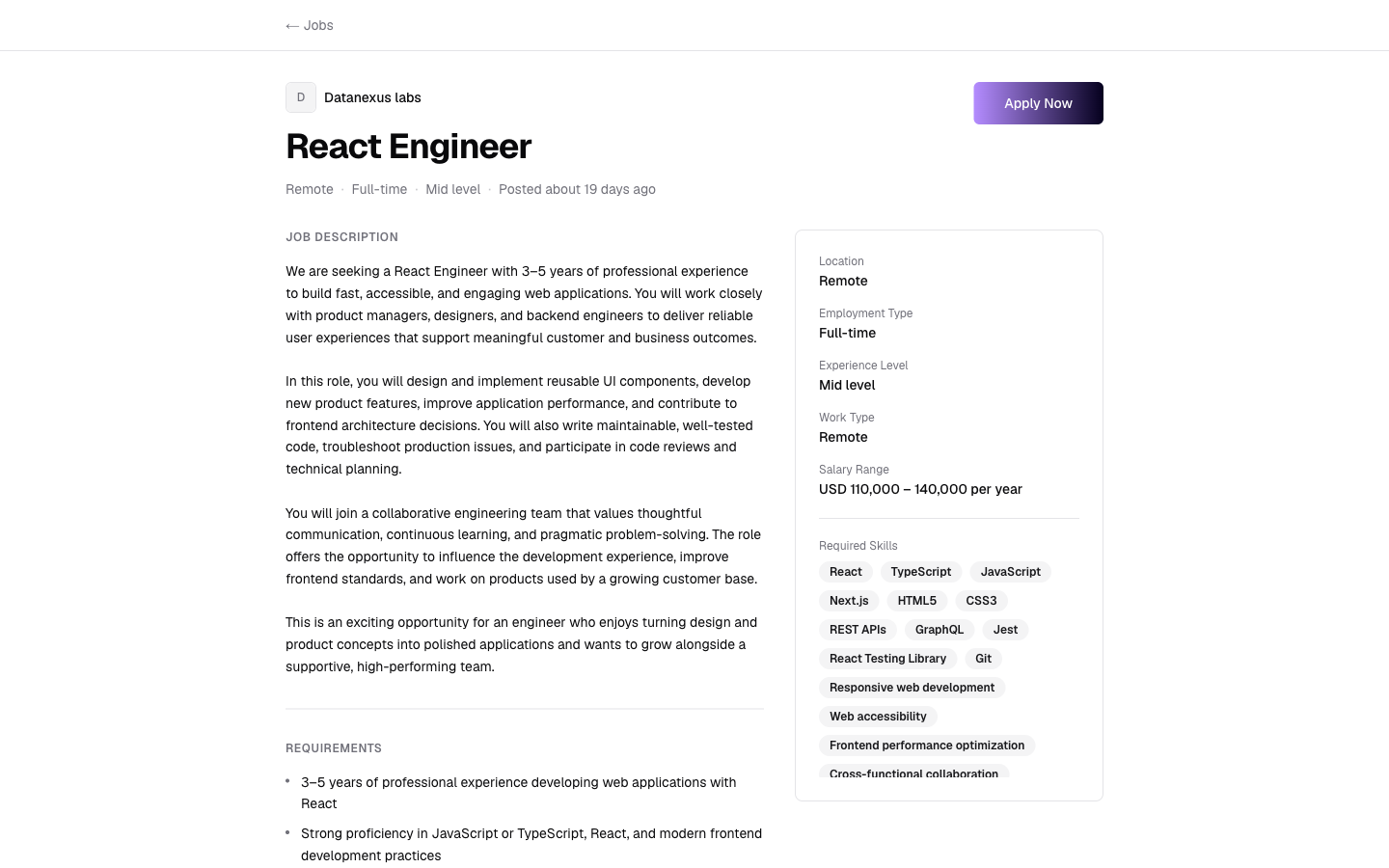
Candidates see your company, not ours. Candidate emails now name your workspace instead of Truepick, go out through your own email settings, and share one clean layout. Public job pages now show which company is hiring.
What's New
Candidate notification settings: Email and WhatsApp switches for the 17 candidate messages, a live preview, and Send me a test email / Send me a test WhatsApp
Messages to the candidate: a history of every email and WhatsApp message on the application page, with its delivery status
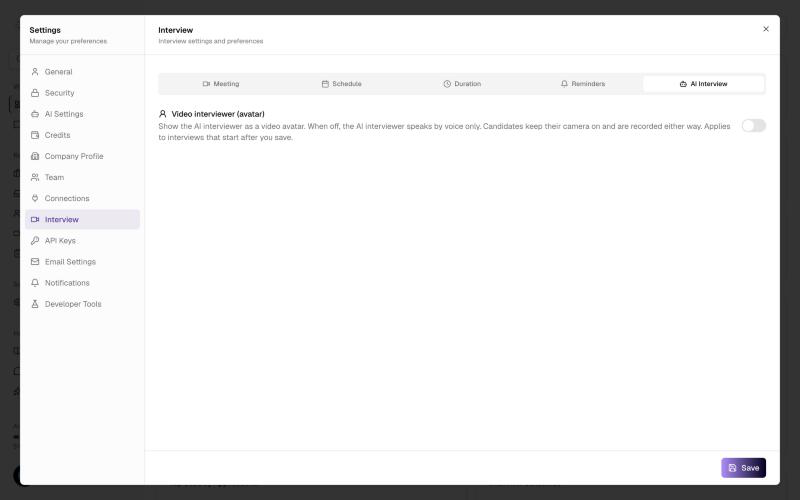
Voice or video AI interviewer: a workspace setting to choose whether the AI interviewer appears as a video avatar or speaks by voice
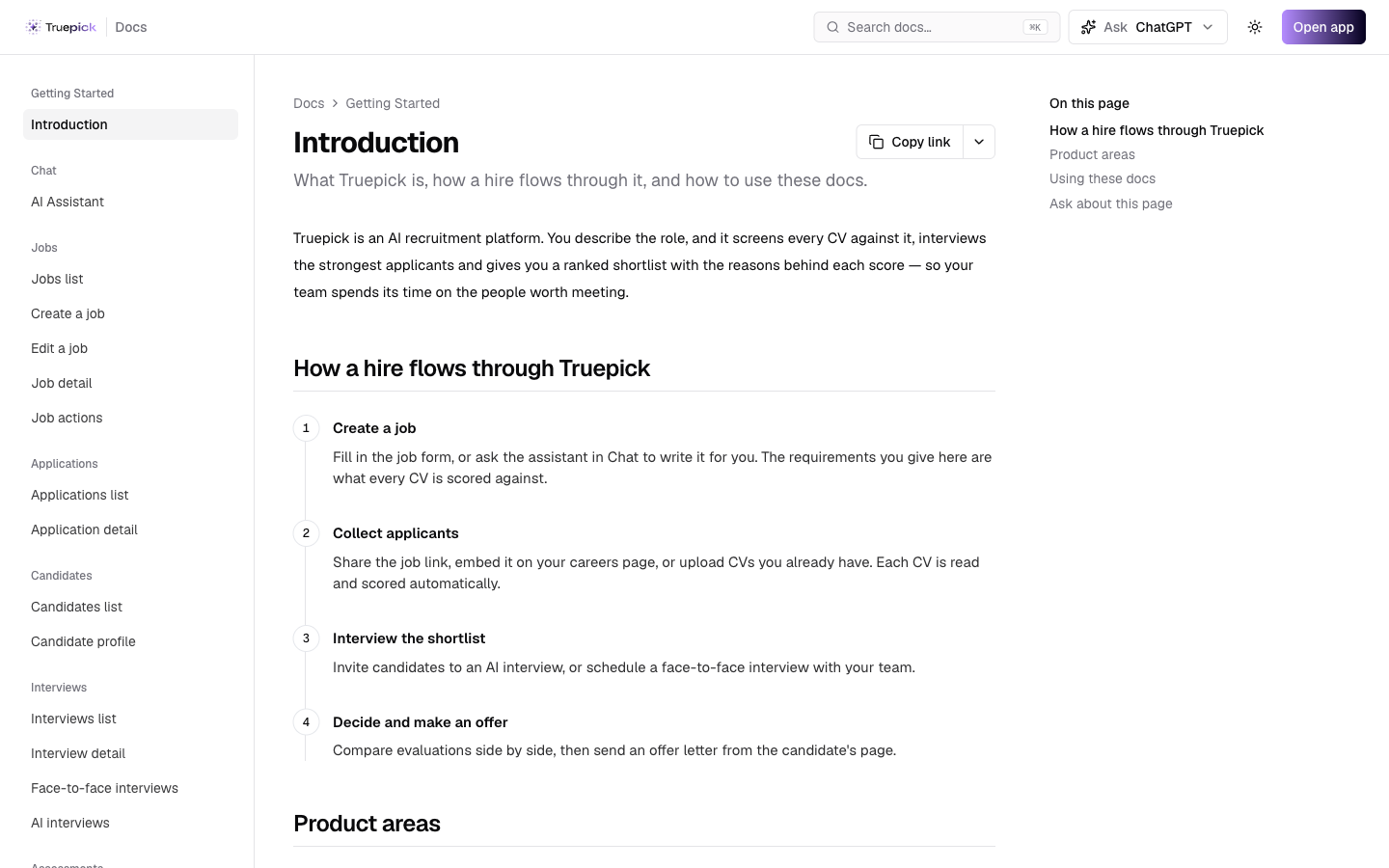
Public documentation at truepick.ai/docs: step-by-step guides for jobs, applications, candidates, interviews, assessments and settings, with annotated screenshots. The Documentation link in the sidebar now opens it
Ask the AI Assistant about one application: its status, why the CV scored what it did, how the interview went, what the candidate said, the assessment result and any fraud flags
The hiring company on public job pages: your company name, and your logo if you've added one, now appear on the job page, so candidates know who they are applying to
Improvements
Candidate emails (interview invitations, reminders, assessment invitations, status updates, missed interviews, offers and more) now name your workspace instead of Truepick, and are sent through your workspace's email settings, including the ones sent in the background
All candidate and interview emails now share one simple layout, and the status update email includes the application details and an "About" section from your company profile
"Application received" and the email verification code now name the company the candidate applied to
An AI interview link now closes once its deadline has passed. You can let the candidate know with the new AI interview link expired message, which is off until you switch it on
An AI invitation whose deadline passes without an interview now moves to No-show, marked "Deadline passed before start", and you can still Resend link from there. The AI No-show tab no longer jumps to Face-to-face
An AI interview now starts when the AI interviewer joins, not when the candidate enters their code. A candidate who closes the tab on the consent or camera check screen can come back and start again, and an interview that never got going is closed automatically so the candidate can retry
The Fireflies note-taker now joins 1 minute before a scheduled meeting starts, instead of at booking time, so interviews booked in advance get a transcript
The interview page has its Edit button back, so you can add a missing meeting link or change the platform, location or interviewers of a booked interview
The apply form's phone number field (still optional) now has a country picker, and explains that updates may be sent to that number on WhatsApp
Cover letters are limited to 5,000 characters, with a live counter
Opening a job link without an internet connection now shows a Truepick page with a Try again button, instead of the browser's offline page
The workspace switcher now only lists workspaces you have joined, not invitations you haven't accepted yet
Forgot password? keeps your team invitation, so you land back on it after resetting your password, and accepting an invitation now takes you straight to the dashboard
The support link in the live AI interview, and the support address in emails and candidate pages, now go to info@taqatechno.com
Fixes
With Above the range set to Apply a score penalty, over-range candidates now get the penalty after Re-scan All, and the badge shows the points deducted
The Interviews list now says "28 interviews found" instead of "interview found 28"
A job header now says "1 Position" instead of "1 Positions", with the correct plural forms in Arabic
Email addresses, phone numbers and file sizes no longer flip or get cut off on Arabic forms
The "Failed to load companies" message no longer appears while a page reloads
Opening the dashboard after losing access to a workspace no longer shows an error
Candidate Notification Settings
Choose what candidates receive, and where
Until now, candidate messages all went out by email, and you couldn't choose which ones. Settings → Notifications now lists all 17 candidate messages, grouped by stage: applying, assessment, AI interview, scheduled interview, offer and verification. Each row says when the message is sent and has two switches:
Email: on by default, as before. The new AI interview link expired message starts off. The Verification code email is marked Required and always stays on, because candidates need it to verify their email and open interview and assessment links
WhatsApp: off until you turn it on. It works once WhatsApp messaging is set up for your workspace, and only reaches candidates who gave a phone number
Select the eye icon on any row to preview it with sample data, as an email or as a WhatsApp message. Send me a test email sends it to your own address. Workspace admins can also use Send me a test WhatsApp, which goes to the number in Settings → General. It isn't available for the offer letter, which needs a real offer. Changes save automatically.
If you try to turn off both channels for a message candidates depend on, like the AI interview invitation or the offer letter, you're asked to confirm first, because you'd then need to contact those candidates yourself.
WhatsApp messages use templates approved in English, so Arabic-speaking candidates receive the English version for now.
Messages to the Candidate
See exactly what a candidate was sent
The application page has a new Messages to the candidate card. It lists every email and WhatsApp message sent to that candidate, newest first, with the channel, the time and its status:
Sent, Delivered or Read (WhatsApp shows delivery and read receipts)
Failed, if the message couldn't be delivered
Not sent, with the reason: for example, it is switched off in Notifications, WhatsApp isn't connected, the candidate has no phone number, or they haven't verified their email yet
When a candidate says they never got their invitation, you can now check here before resending.
Voice or Video AI Interviewer
Run AI interviews by voice, at a fraction of the cost
Settings → Interview → AI Interview has a new Video interviewer (avatar) switch. It is off by default:
Either way, candidates keep their camera on, the interview is recorded, and behavioural analysis and scoring work the same. A voice interview uses far fewer credits, and the credit estimate shown before you send invitations follows the setting.
Only workspace admins can change it, and a change applies to interviews that start after you save. The interview details show whether each interview used a Voice interviewer or a Video interviewer.
Your Company on Public Job Pages
Candidates know who is hiring before they apply
Public job pages used to show the role but not the employer, so candidates only found out who they had applied to afterwards, and some didn't apply at all. The company name now sits above the job title, with your logo from Settings → Company Profile (or your initial if you haven't added one).
The same company name is used in the emails the candidate gets after applying.
Truepick Documentation
Step-by-step guides, open to everyone
truepick.ai/docs explains every part of the platform: the AI Assistant, jobs, applications, candidates, interviews, assessments and settings. Each page walks through the screen with an annotated screenshot and explains what every field does.
Search with ⌘K
Ask ChatGPT or Claude about any page, using our docs as the source
Open it from Documentation in the app's sidebar, or share a page link with a new teammate