

DocsCandidates
Candidates list
Your talent pool — add candidates, bulk-upload CVs and download CVs.
Candidates is your talent pool: every person your company has a profile for. A candidate is one person; each time they apply to, or are added to, a job, that creates an application. One candidate can have many applications.
How candidates get into the pool
- They apply to one of your jobs.
- You upload their CV to a job (Add Candidates on the job page) or straight into the pool (Bulk Upload here).
- You add them by hand, or the AI Assistant adds them from a CV.
- Their application arrives by email, if Gmail is connected for the job.
One profile per person
Candidates are matched by email. If the same person applies again or their CV is uploaded twice, Truepick updates the existing profile instead of creating a duplicate.
The candidates list
truepick.ai/candidates
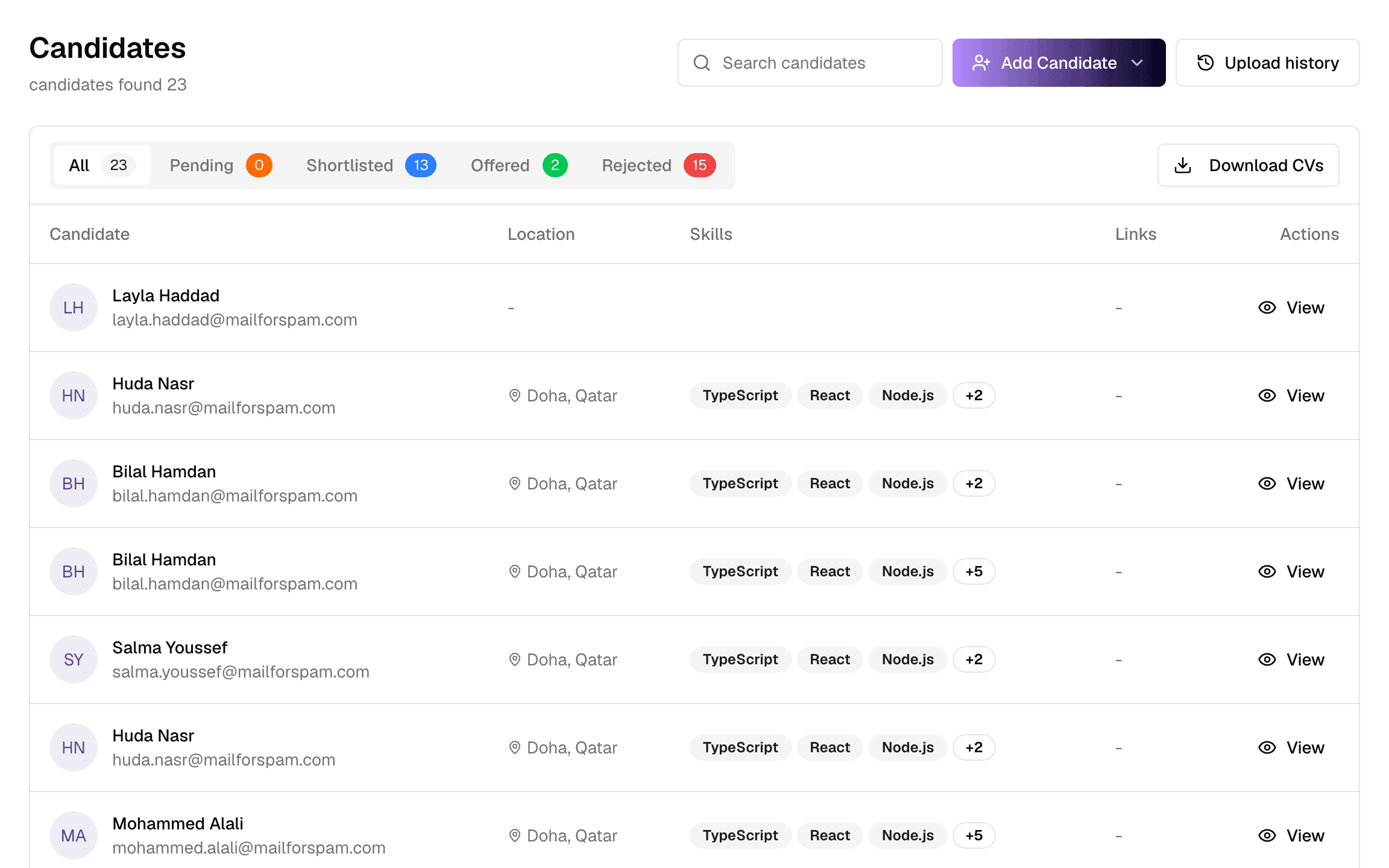
ItemWhat it does
- 1Search
- Find candidates by name, email, location or the words in their summary. It does not search skills — use the AI Assistant for skill searches.
- 2Add Candidate
- Add one candidate, or bulk-upload CVs — see below.
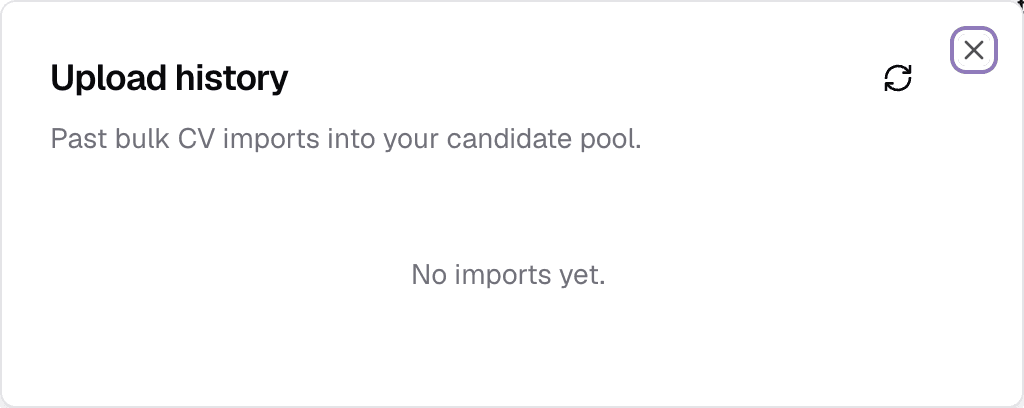
- 3Upload history
- Past bulk uploads into the pool, with how many were added, duplicates, failed and cancelled.
- 4Status tabsAll · Pending · Shortlisted · Offered · Rejected
- Filter by application status. Someone with several applications appears in every tab that matches one of them.
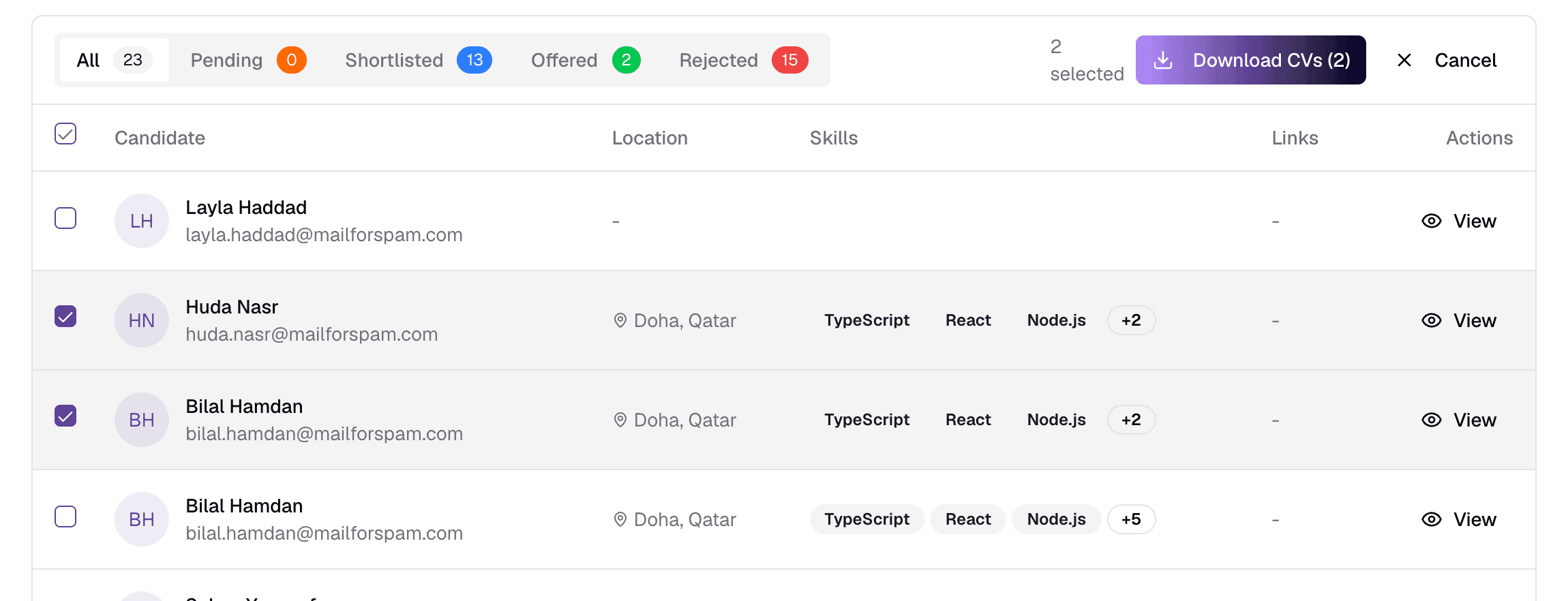
- 5Download CVs
- Pick candidates and download their CVs as one ZIP file.
- 6Skills
- The first three skills from the CV, then how many more.
- 7Links
- LinkedIn and portfolio, when the CV includes them.
- 8View
- Open the candidate profile. Clicking the name does the same.
Candidates are listed newest first, by their latest application. An Imported badge marks people who came in through a bulk upload to the pool. Use the footer to page through, 10 to 100 per page.
Adding candidates
truepick.ai/candidates
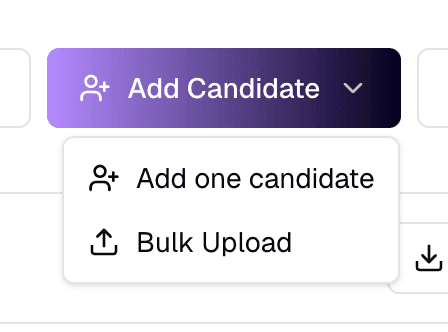
ItemWhat it does
- 1Add one candidate
- A form for one person — see below. Use it when you have their details but no job yet.
- 2Bulk Upload
- Upload many CVs into the pool at once. They are not added to any job.
Add one candidate
truepick.ai/candidates/new
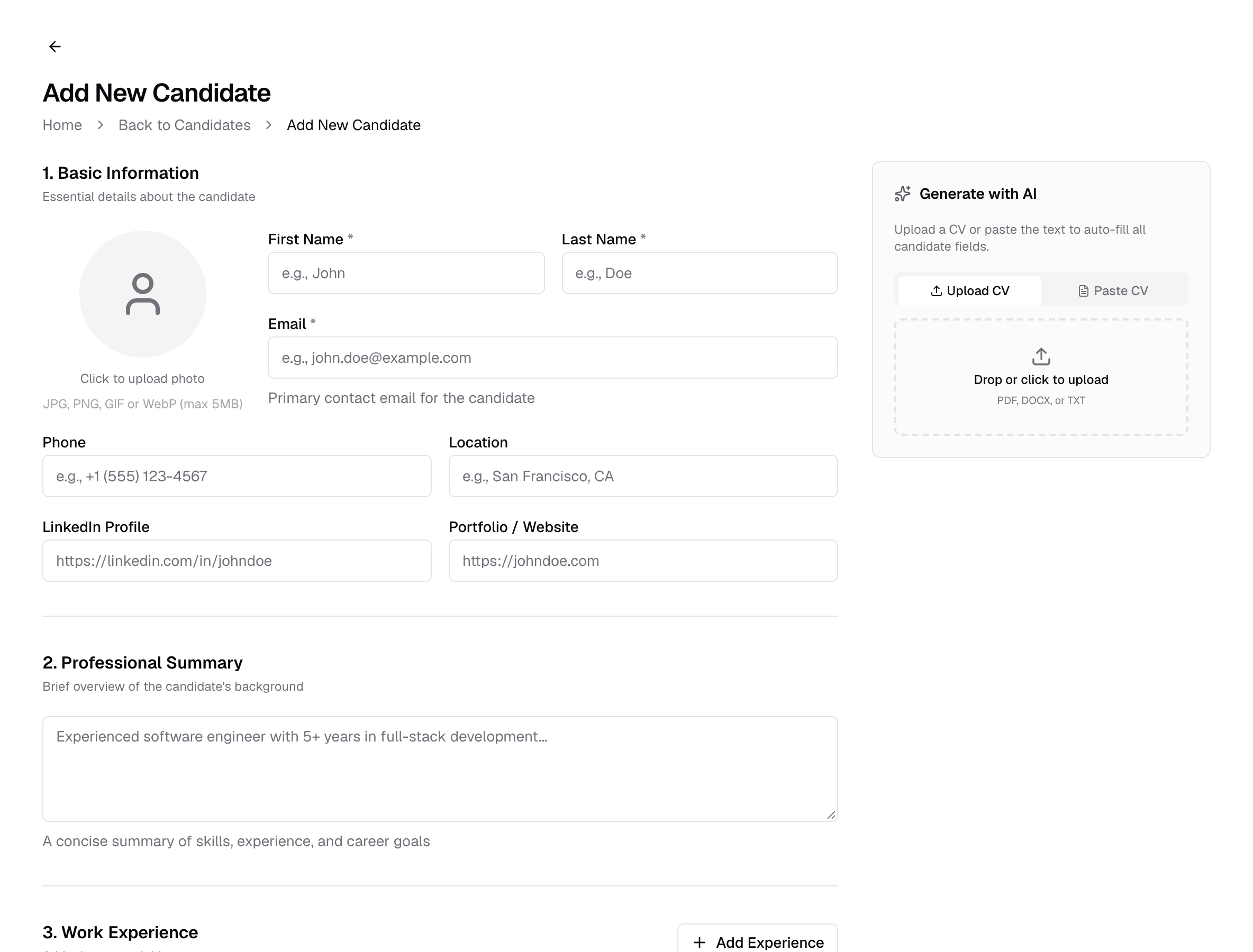
FieldWhat it does
- First name, Last name, EmailRequired
- The email must not already belong to a candidate.
- Photo, Phone, Location, LinkedIn, PortfolioOptional
- Contact details. The phone number must not already belong to a candidate.
- Professional SummaryOptional
- A short paragraph about the person.
- Work Experience, EducationOptional
- Add as many entries as you need.
- Skills, LanguagesOptionalComma-separated
- For example: TypeScript, React, Node.js.
Let AI fill it in
On a large screen, the panel beside the form reads a CV (PDF, Word or text) and fills in the fields for you to check.
Bulk upload to the pool
truepick.ai/candidates
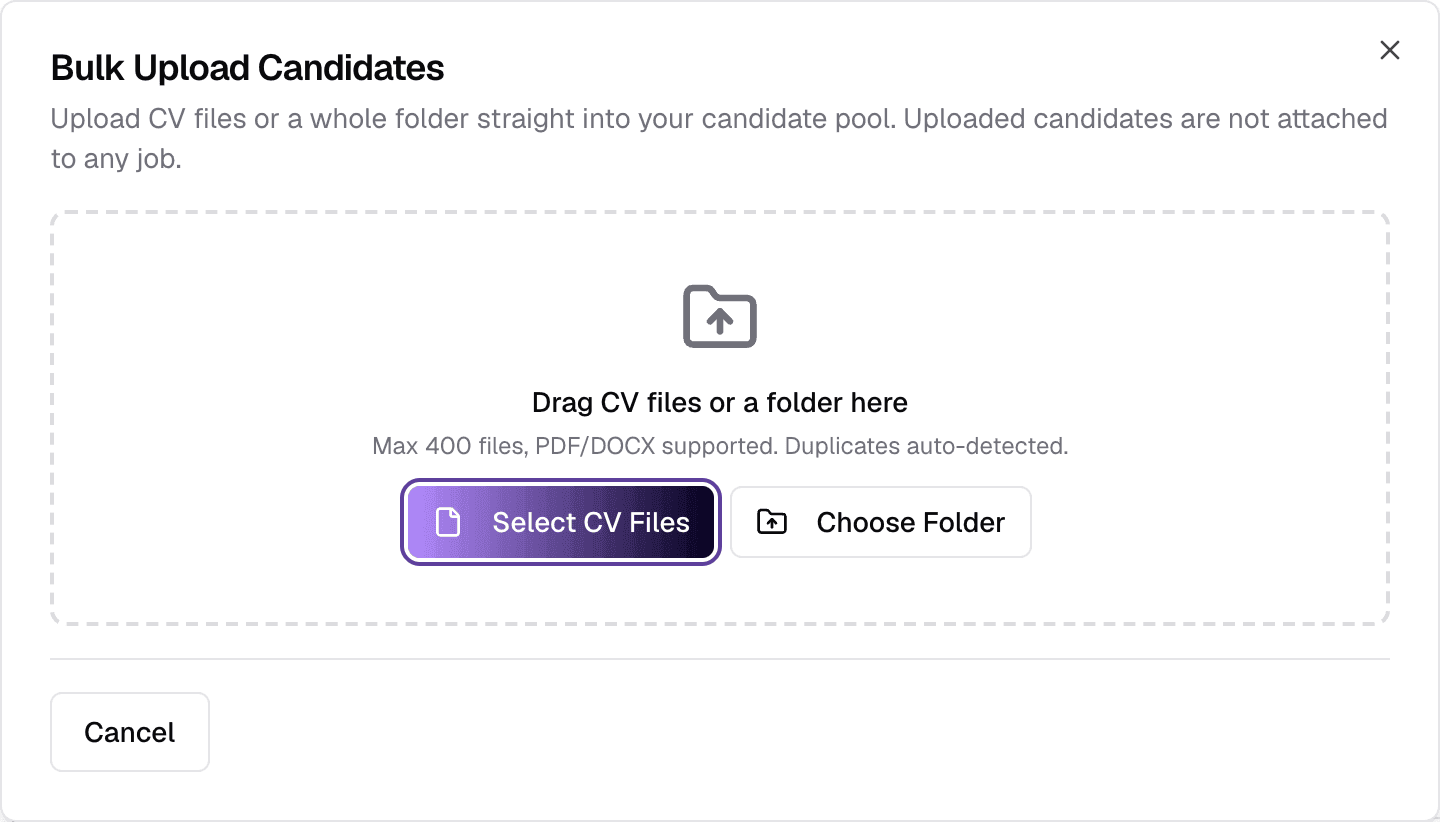
- Drop up to 400 CVs or a whole folder — PDF or DOCX, up to 5 MB each. Empty, oversized, unsupported and duplicate files are flagged before you upload; Remove Issues clears them.
- After Upload the dialog closes and the upload carries on in the background, with a progress panel at the bottom of the screen. You can keep working, retry failures, or cancel.
- The AI reads each CV and builds the profile. A CV must contain an email address. A CV already in the pool is skipped; a new CV for an existing email updates that candidate.
- Pool uploads are not scored — scoring happens against a job. Reading the CVs uses AI credit.
truepick.ai/candidates
Downloading CVs
truepick.ai/candidates
ItemWhat it does
- 1Select all
- Tick everyone on the page, or tick candidates one by one. Your selection is kept when you change page.
- 2Selected
- How many candidates you have picked.
- 3Download CVs (n)
- Download the CVs as a ZIP. Candidates without a CV are left out, and you are told how many.
To add pool candidates to a job, open the job and use Add Candidates → Import Candidates, or check its Suggested tab for AI matches.
Still have questions?
Pick a question — ChatGPT reads this page and answers it for you.