

DocsSettings
Credits
Your AI budget, what uses credit, and spending history.
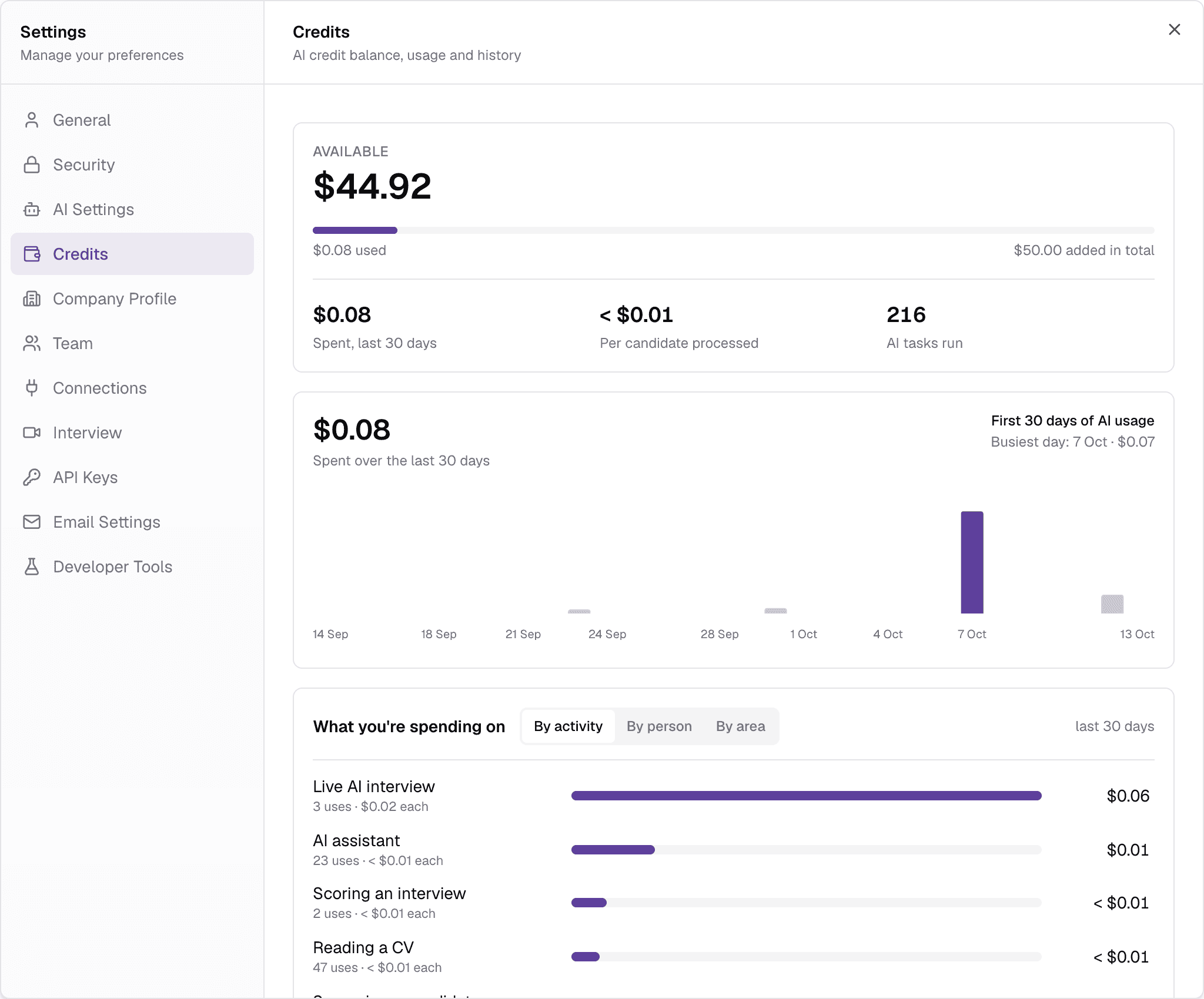
Truepick's AI work is paid for from your workspace's AI credit, in US dollars. The balance is always visible as AI budget at the bottom of the sidebar; click it to open this tab.
truepick.ai/…
What uses credit
- Screening and reading CVs, and checking CV authenticity.
- AI interviews — the live interview, transcription and scoring.
- The AI Assistant.
- Generate with AI for jobs, and writing assessment questions.
- Sorting CVs that arrive by email.
Face-to-face interviews and your team's own work — moving, inviting and reviewing candidates — do not use credit. A candidate applying is free, but screening their CV does use credit.
Reading the tab
- Available — your balance, how much has been used and added in total, what you spent in the last 30 days, the cost per candidate and the number of AI tasks run.
- A chart of daily spending over the last 30 days.
- What you're spending on — spending split By activity, By person or By area.
- Credit history — every top-up and charge, newest first. Export downloads it as a CSV file.
New workspaces start with $50 of free trial credit. The workspace owner sees an Add credits button to top up.
Running low or out of credit
- Below 15% of your total credit, a Running low on AI credit warning appears.
- At zero, AI screening, AI interviews and the assistant pause until credit is added. Candidates can still apply, and nothing already done is lost.
Inviting uses credit up front
Each outstanding AI interview invitation reserves credit, so a workspace with many open invitations can be refused new ones before the balance reaches zero.
Still have questions?
Pick a question — ChatGPT reads this page and answers it for you.