

Interview detail
One interview: schedule, recording, transcript, remarks, edit and reschedule.
Open an interview from Interviews, or with View Interview on an application. The page shows when and how it happens, and — once it is over — the recording, transcript and your team's remarks. The AI's scoring is on the application.
An AI interview
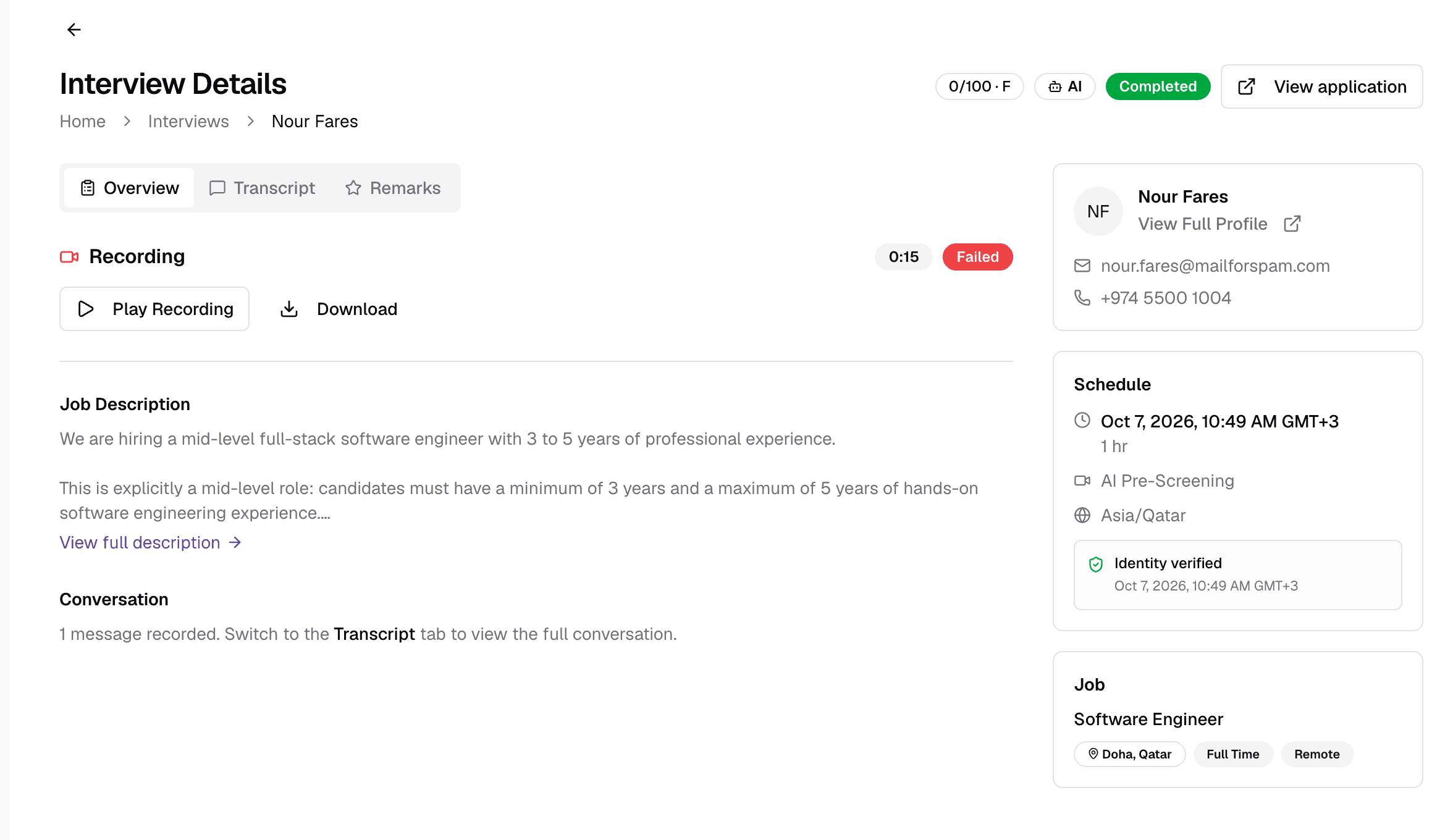
- 1Score
- The interview score out of 100 and the grade, once evaluated.
- 2StatusScheduled · Rescheduled · In Progress · Completed · Cancelled · No Show
- Where the interview is now. An AI badge marks AI interviews.
- 3View application
- Open the candidate's application, with the full evaluation.
- 4Overview
- The recording, an AI summary, key highlights, notes, reschedule requests and the job description.
- 5Transcript
- The full conversation, turn by turn, with the AI Interviewer labelled.
- 6Remarks
- Your team's own rating and notes — see below.
- 7RecordingProcessing · Available · Failed
- Play the video, or Download it as an MP4.
- 8Schedule
- Date, time, duration, platform and time zone. For an AI interview that is still open, Copy Interview Link copies the candidate's personal link.
- 9Identity verified
- The candidate confirmed their email with a one-time code before starting.
The side panel also shows the candidate (with View Full Profile), the job, and the interview's suggested questions.
A face-to-face interview
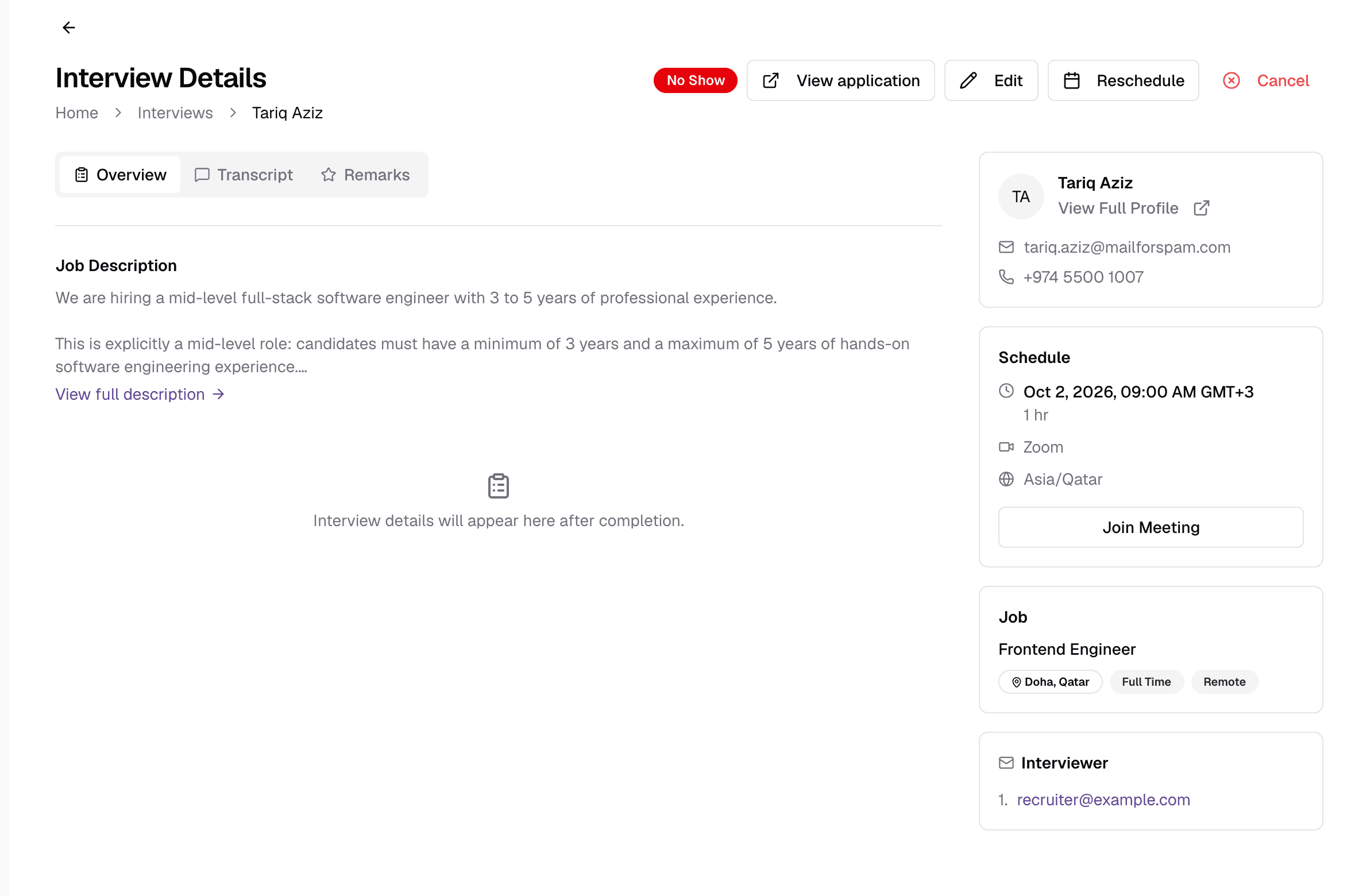
- 1Edit
- Change the date, time, meeting link or notes. If the time or link changes, the candidate and interviewers are emailed the update.
- 2Reschedule
- Propose up to five new times with an optional reason. This creates a reschedule request for the interviewer to accept — the time does not change until one is approved.
- 3Cancel
- Cancel with an optional reason. The candidate and interviewers are emailed. It cannot be undone.
- 4Join Meeting
- Open the meeting link.
- 5Interviewer
- Who is running the interview.
Edit or Reschedule?
Reschedule requests
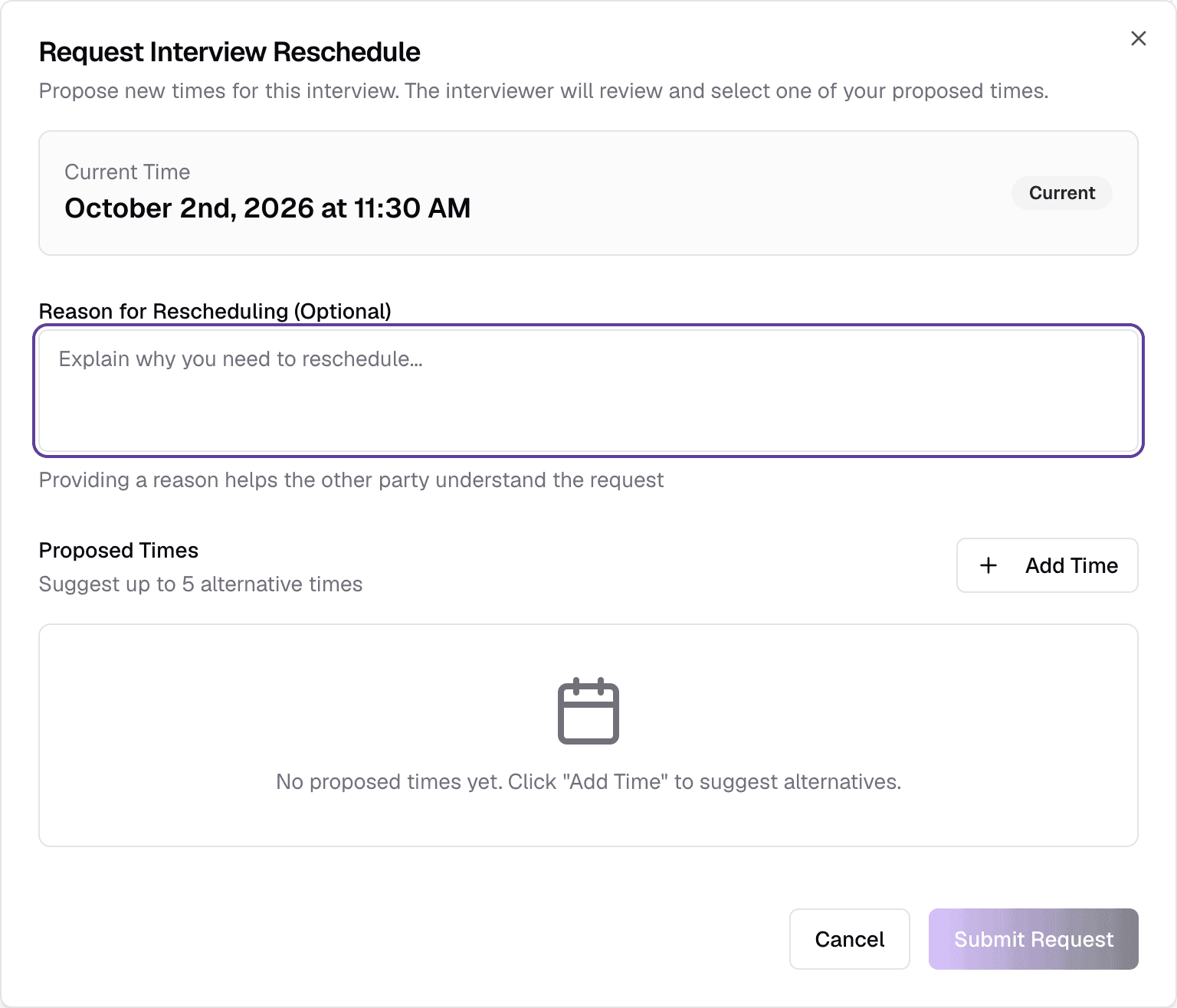
Pending requests appear on the Overview tab under Reschedule Requests. Click Select next to a proposed time to approve it — the interview moves to that time — or Reject the request.
Remarks
After a completed interview, the Remarks tab lets your team record its own view, separate from the AI's:
- Overall RatingRequiredStars
- Your overall impression.
- RecommendationRequiredHire · Maybe · Reject
- What you would do next.
- Candidate Strengths, Areas of Concern, Detailed RemarksOptional
- Free text.
- Saved remarks show who wrote them and when, and can be edited.
- Completing a face-to-face interview and scoring it is done on the application with Complete Interview — see Face-to-face interviews.
Still have questions?
Pick a question — ChatGPT reads this page and answers it for you.