

DocsInterviews
AI interviews
What candidates go through in an AI interview, from invitation to evaluation.
An AI interview is a video interview the candidate takes on their own time with the AI interviewer. This page walks through what the candidate sees, so you can answer their questions. The interview is set up on the job — see AI Interview settings.
1. The invitation
- You send it with Send Interview Invitation on a shortlisted candidate, or Send invite on the Interviews page. It uses AI interview credit.
- The email — “Interview Invitation - [job] at [company]” — has the job details, the deadline and the join link.
- The deadline is the job's Completion deadline (7 days by default). One reminder is sent 24 hours before it, unless the candidate has already finished.
2. Before the interview starts
truepick.ai/join-interview/…
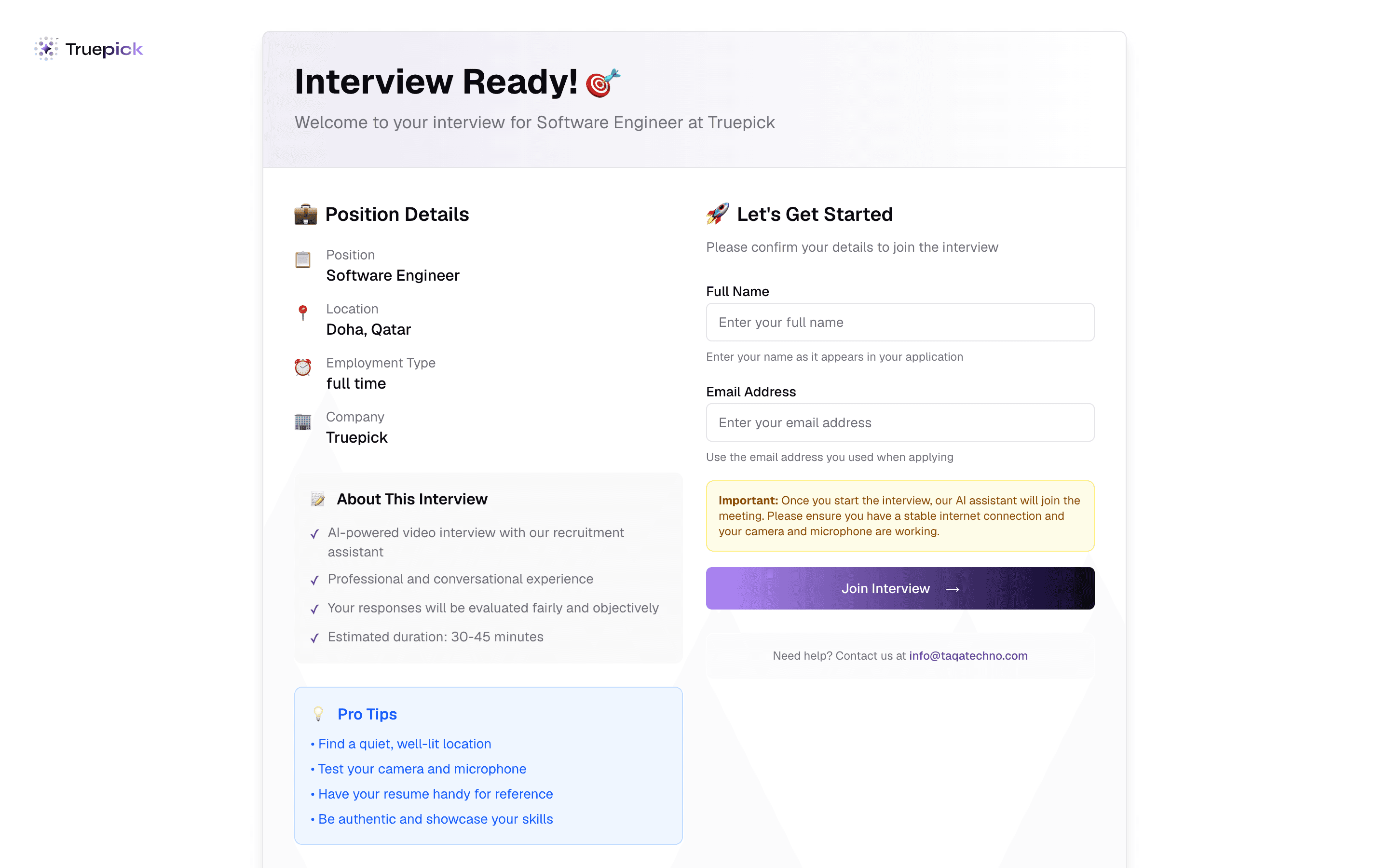
Open the link
The candidate sees the job, what to expect and some tips. A link that is closed — completed, cancelled or expired — says so instead.Confirm their details
Full name and email, which must match the application.Verify it's them
A 6-digit code is emailed to them. It expires after 10 minutes; after 5 wrong tries the link locks for 15 minutes. This is what shows as Identity verified on your side.Agree to recording
They read what to expect and the privacy notice, choose how to speak — Push-to-talk (recommended) or Hands-free — and tick the consent box.Check camera and microphone
Both are required. They record a short clip and play it back to confirm they can be heard.
3. During the interview
- The AI greets them, checks they are ready, then asks about their background and interest in the role, your interview questions one at a time, and practical points — notice period, location and salary. It ends by inviting their questions.
- Follow-up questions depend on the job's Follow-up Depth, and the tone on its Interviewer Personality. The interview runs in the job's Preferred Language (English or Arabic).
- The candidate holds a button (or the space bar) to talk, or speaks freely in hands-free mode, and can show a live transcript.
- If they go quiet, the AI prompts them; after about a minute and a half of silence it ends the interview.
No pausing or rejoining
The interview must be finished in one go, in one browser. Reloading, closing the tab or opening it elsewhere ends the session. If the connection drops for good, the candidate needs a new attempt: use Regenerate Interview Link on the application, then send the invitation again.
4. After the interview
- The candidate sees a thank-you screen.
- The application moves to Interviewed. The recording is analysed and the AI evaluation appears on the application a few minutes later.
- If the candidate never starts before the deadline, it becomes a No Show. Resend link gives them a new deadline.
The video is used to check interview integrity — for example, whether someone else seemed to help. See Interview evaluation.
Still have questions?
Pick a question — ChatGPT reads this page and answers it for you.