

DocsSettings
Account & security
Your name, picture, password, and deleting your account.
The General and Security tabs are about you, not your company.
General
truepick.ai/…
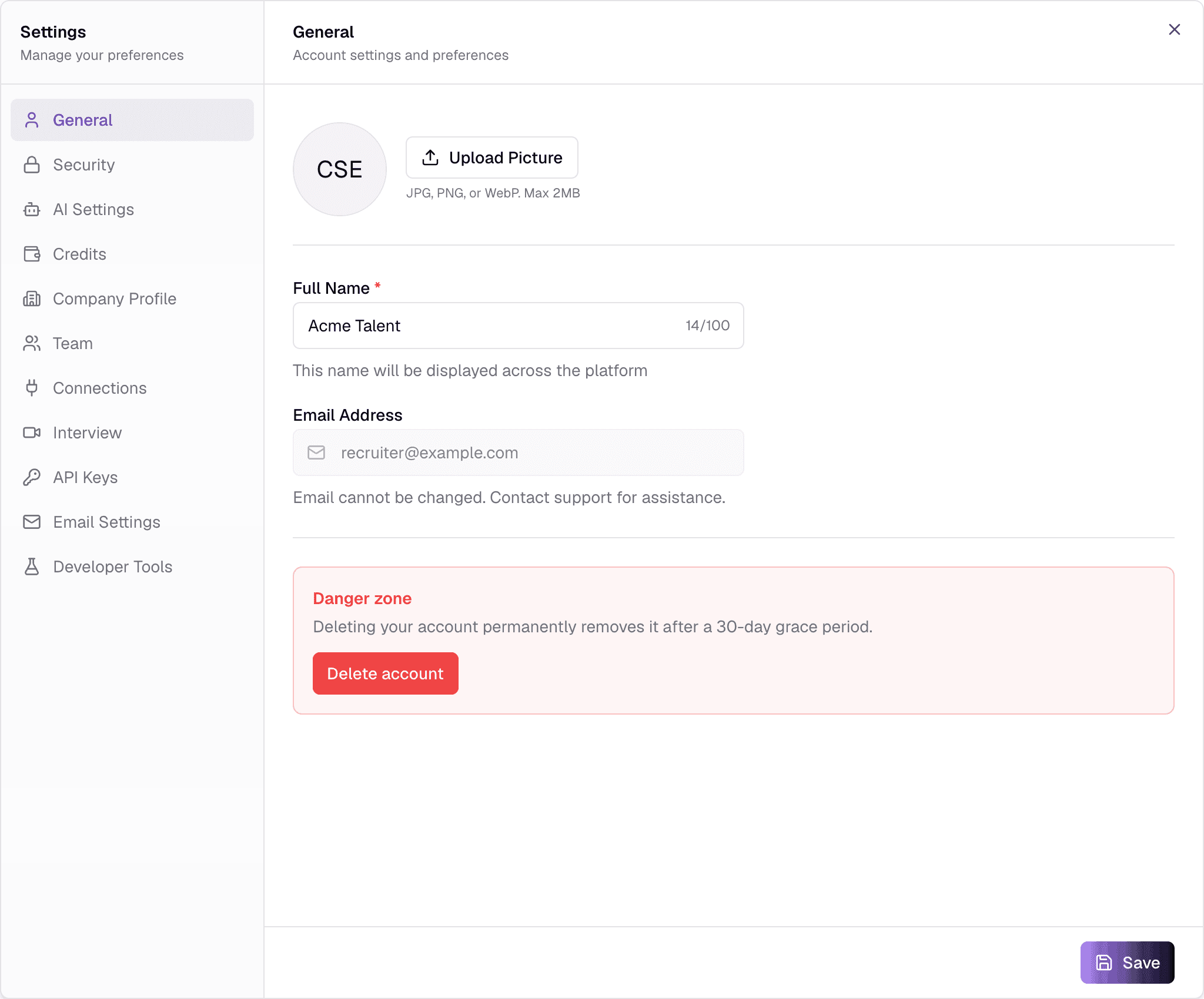
FieldWhat it does
- Profile pictureOptionalJPG · PNG · WebP · up to 2 MB
- Upload Picture changes it straight away — no need to press Save.
- Full NameRequired2–100 characters
- How you appear across Truepick, for example in Activity.
- Email AddressOptional
- Your sign-in email. It cannot be changed here — contact support.
Press Save to save your name.
Deleting your account
truepick.ai/…
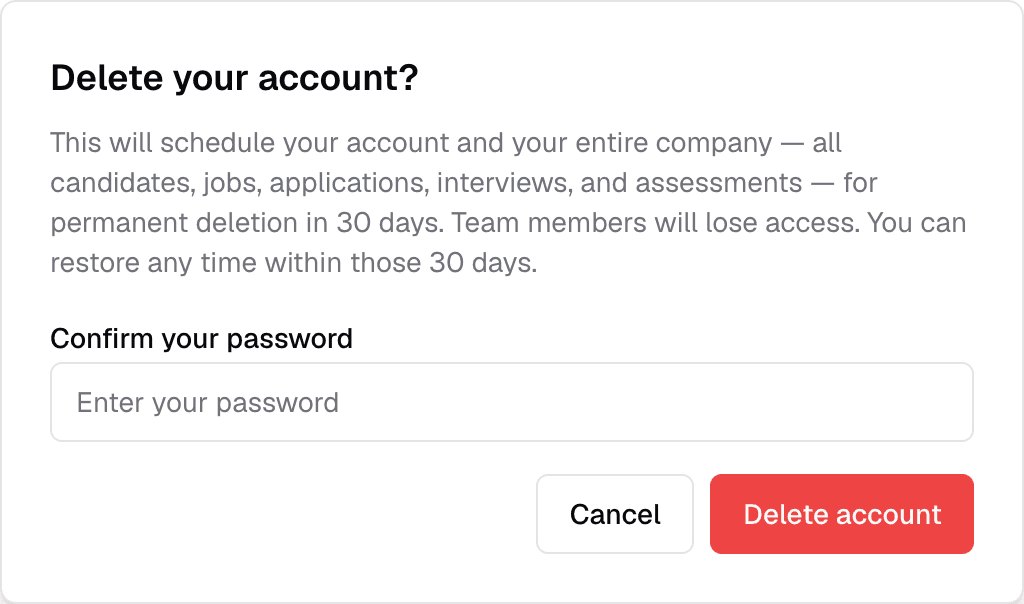
- Delete account in the Danger zone asks you to confirm, and for your password if you have one.
- Your account is scheduled for deletion and you are signed out. It is permanently deleted after 30 days.
- Until then, sign in again and choose Restore my account to cancel the deletion.
Company owners
If you own the company workspace, deleting your account also schedules the whole company — every job, candidate, application, interview and assessment — for deletion, and your team loses access.
Security
truepick.ai/…
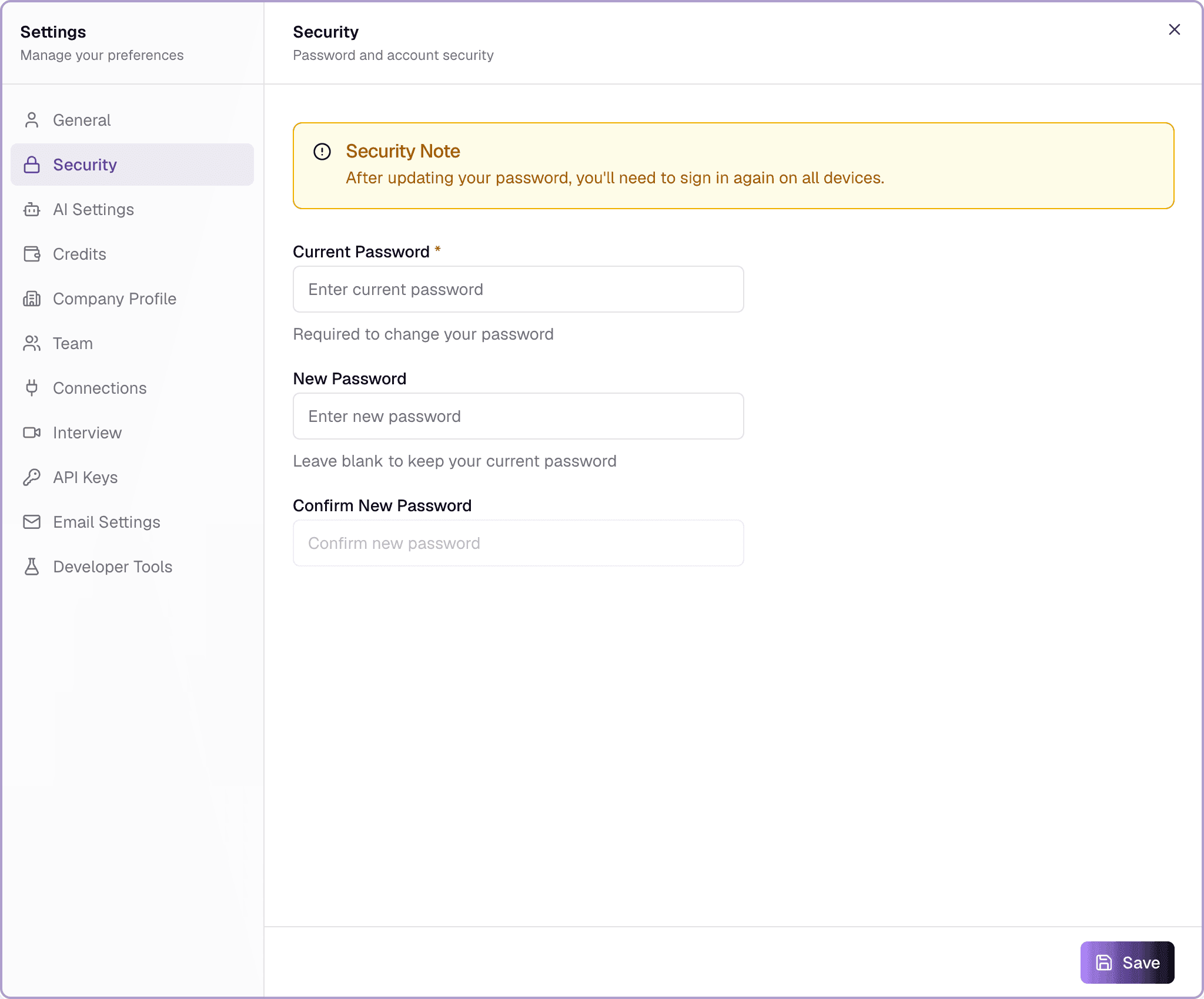
FieldWhat it does
- Current PasswordRequired
- Needed to confirm it is you.
- New PasswordOptional8+ characters
- Must include an upper-case letter, a lower-case letter, a number and a special character.
- Confirm New PasswordOptional
- Type the new password again.
After you Save a new password you are signed out on all devices and need to sign in again.
Still have questions?
Pick a question — ChatGPT reads this page and answers it for you.