

DocsJobs
Jobs list
All your job postings, their status and quick actions.
Jobs in the sidebar opens Job Postings: every job your company has created, with a live count of where its candidates are.
The jobs list
truepick.ai/jobs
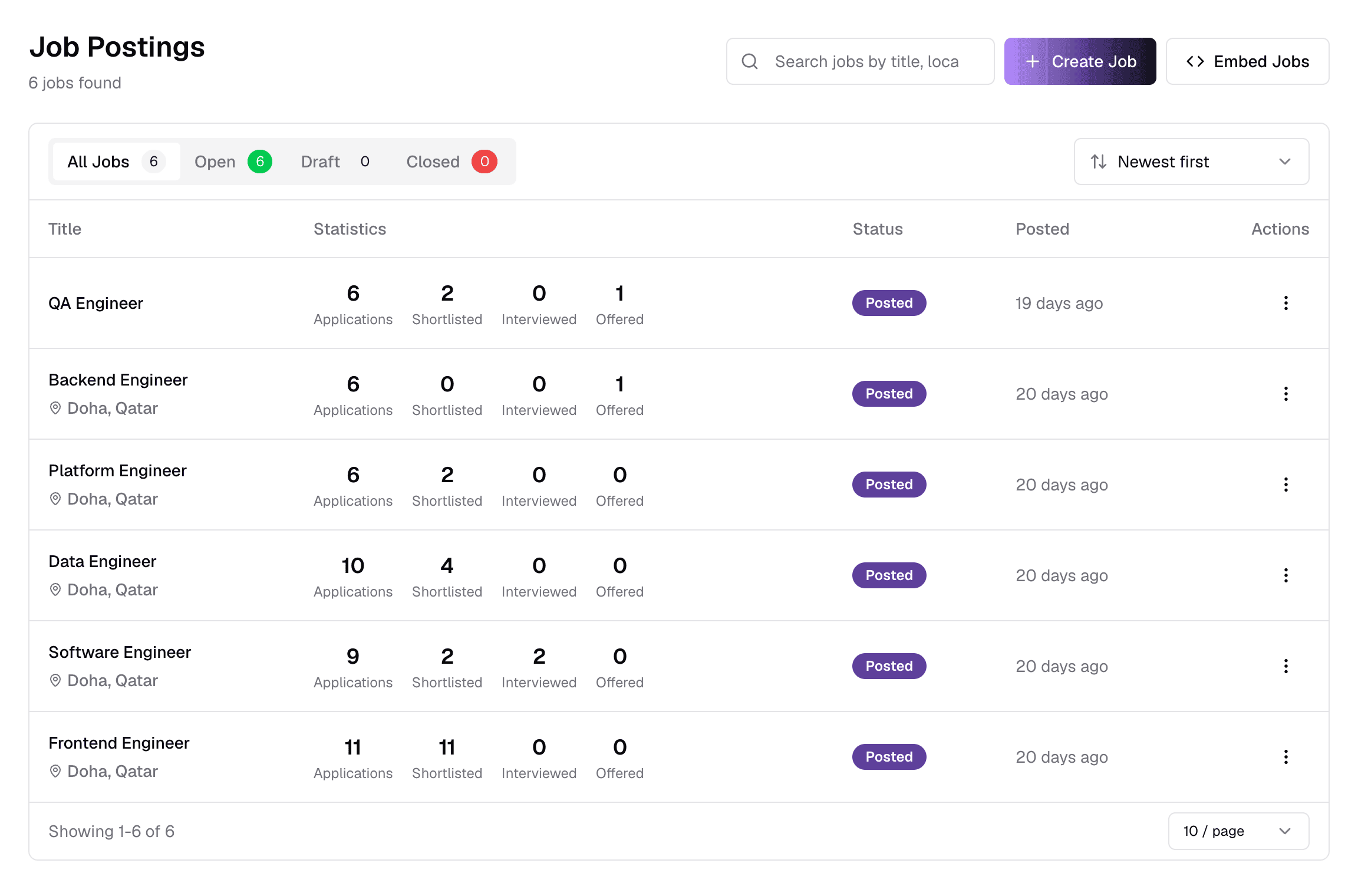
ItemWhat it does
- 1Search
- Find jobs by title or location as you type.
- 2Create Job
- Opens the job form. See Create a job.
- 3Embed Jobs
- Get code to show all your open jobs on your own careers page. Requires an API key with an embed token.
- 4Status tabsAll Jobs · Open · Draft · Closed
- Filter by status. Open means published and accepting applicants. Each tab shows how many jobs it holds.
- 5SortNewest · Oldest · Title A–Z · Title Z–A · Status
- Change the order of the list.
- 6Statistics
- Applications, Shortlisted, Interviewed and Offered — how far candidates have got on each job.
- 7StatusPosted · Draft · Closed
- Posted jobs are live. Drafts are only visible to your team. Closed jobs no longer accept applicants.
- 8Actions (⋮)
- Quick actions for the job — see below.
Click a job's title to open its detail page. At the bottom of the list you can page through results and choose 10, 20, 50 or 100 jobs per page.
Row actions
truepick.ai/jobs

ItemWhat it does
- 1View
- Open the job detail page.
- 2Edit
- Open the job form with the job's current values. See Edit a job.
- 3Delete
- Permanently delete the job. Only possible while it has no applications — otherwise close it instead.
Closed jobs
Edit and Delete are disabled for closed jobs. Reopen the job from its detail page first.
On a phone
On a small screen, jobs appear as cards showing the contract type, work style, level, salary and a short description, with the same ⋮ menu.
Still have questions?
Pick a question — ChatGPT reads this page and answers it for you.