

DocsInterviews
Interviews list
Every AI and face-to-face interview, invitations and the calendar.
Interviews in the sidebar lists every interview across your jobs. AI interviews and face-to-face interviews are shown in separate tabs, because they work differently. Each interview also appears on the candidate's application.
AI interviews
The AI tab also tracks invitations, so you can see who still needs to be invited and who is running late.
truepick.ai/interviews
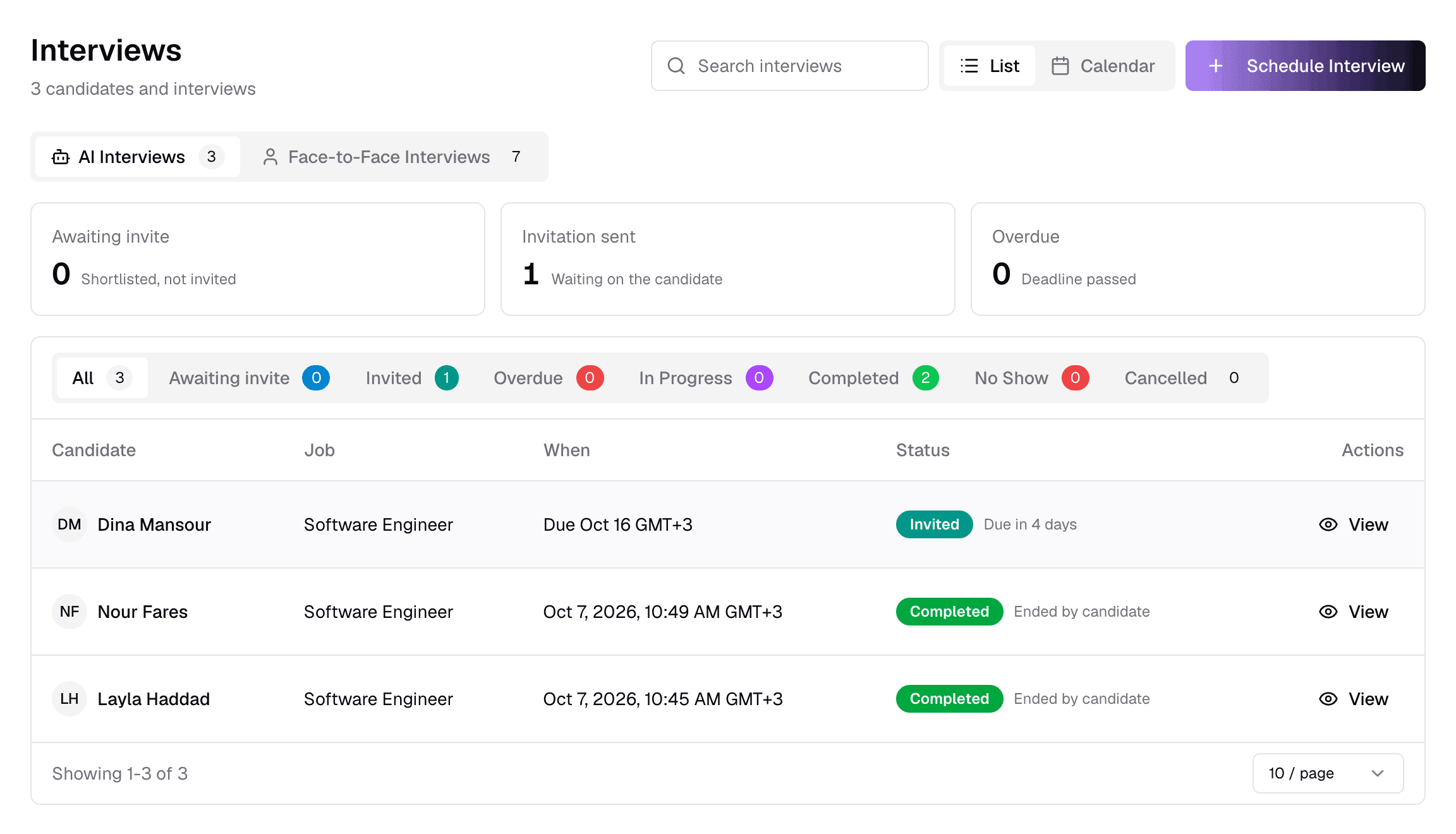
ItemWhat it does
- 1Search
- Find by candidate name or job title.
- 2List / Calendar
- Switch between the list and a calendar. Your choice is remembered.
- 3Schedule Interview
- Book a face-to-face interview — see Face-to-face interviews.
- 4AI / Face-to-Face
- Which kind of interview to show, with how many of each.
- 5Invitation summaryAwaiting invite · Invitation sent · Overdue
- Who needs an invite, who has one, and whose deadline has passed. Click a card to open that tab.
- 6Status tabs
- Filter by stage — see the table below.
- 7When
- The interview date and time, “Due …” for an open invitation, or “Not invited yet”.
- 8Status
- The current status, with the deadline (“Due in 4 days”) or how a finished interview ended (“Ended by candidate”).
- 9ActionView · Send invite · Resend link
- View opens the interview. Send invite emails the AI interview link. Resend link re-sends it to an overdue candidate with a new deadline.
Invites use credit
Sending an AI interview invitation — or resending one after its deadline passed — uses AI interview credit. Resending a link that is still open keeps the same deadline.
AI status tabs
Awaiting inviteShortlisted on an AI Interview job, but not invited yet.
InvitedInvitation sent; the candidate has not started.
OverdueThe deadline passed before the candidate started.
In ProgressThe candidate is in the interview right now.
CompletedFinished — the evaluation follows automatically.
No ShowThe candidate never started before the deadline.
CancelledCancelled by your team.
How an interview ended
Ended by candidateThe candidate finished and left.
Candidate silentThe AI ended it after the candidate stopped responding.
Timed out / AbandonedThe session ended without a normal finish.
Link regeneratedYou reset the interview with a new link.
Deadline passed before startThe invitation expired unopened.
No one joinedNobody joined the face-to-face meeting.
Face-to-face interviews
truepick.ai/interviews?type=manual
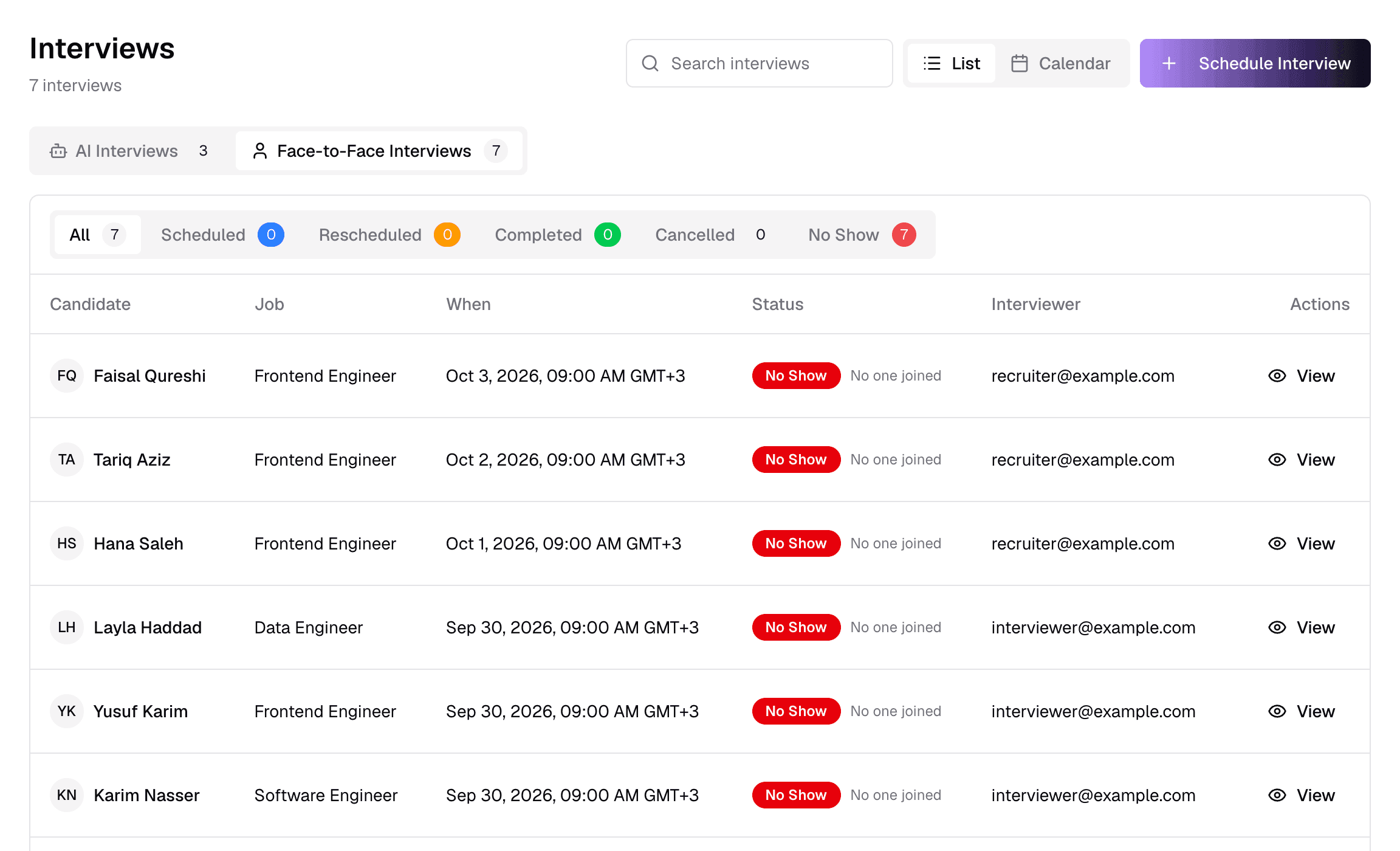
ItemWhat it does
- 1Face-to-Face Interviews
- Interviews your team runs.
- 2Status tabsAll · Scheduled · Rescheduled · Completed · Cancelled · No Show
- Filter by status.
- 3Interviewer
- The main interviewer's email.
- Rescheduled means the time was changed after booking.
- No Show is set automatically: 30 minutes after the slot if the meeting shows nobody joined, or 48 hours after if no outcome was recorded.
Calendar
truepick.ai/interviews?view=calendar
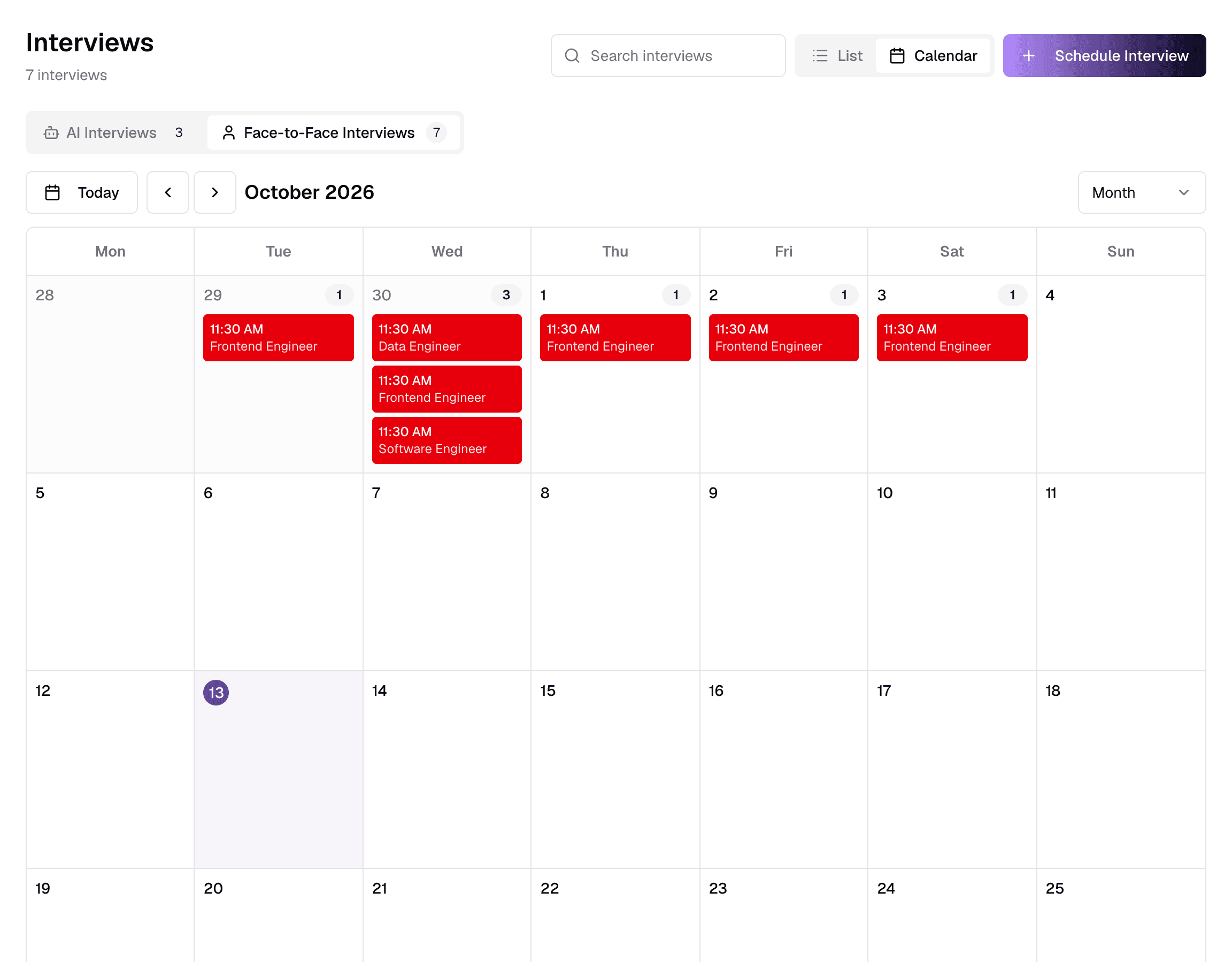
ItemWhat it does
- 1Today / arrows
- Jump to today, or move back and forward.
- 2Date range
- The period you are looking at.
- 3Month / Week / Day
- Change the calendar size.
Interviews are coloured by status; click one to open it. Invitations have no time slot, so they are not on the calendar.
Still have questions?
Pick a question — ChatGPT reads this page and answers it for you.